
Summary
This post shows you how to get a Tableau Cloud or Tableau Server dashboard's embed link and embed the dashboard in PowerPoint by loading its link in Web Viewer 2.0.
Tableau Cloud, and Tableau Server by default, only embed private dashboards inside other
apps when the URL includes :embed=y. A regular link copied from Tableau does
not load on its own. To load the embed link:
- Open the dashboard in Tableau, select Share, and select Copy Link (or copy the dashboard URL from your browser's address bar).
- Insert Web Viewer 2.0 on your slide.
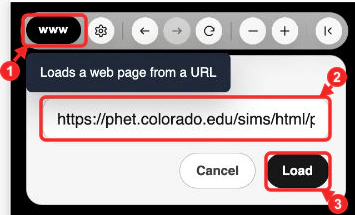
- Select www, paste the dashboard link into URL, and select Load.
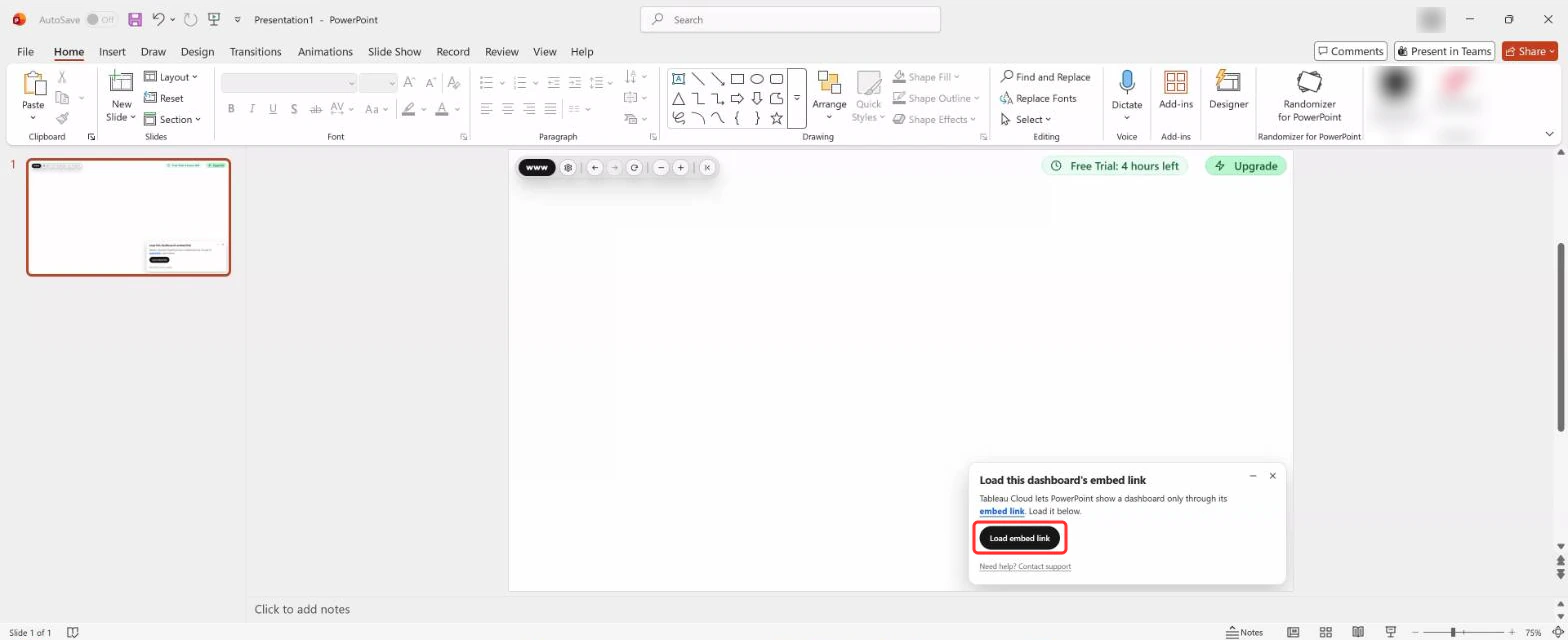
- Select Load embed link in the Load this dashboard's embed link card, then sign in to Tableau if prompted.
Copy the dashboard's link
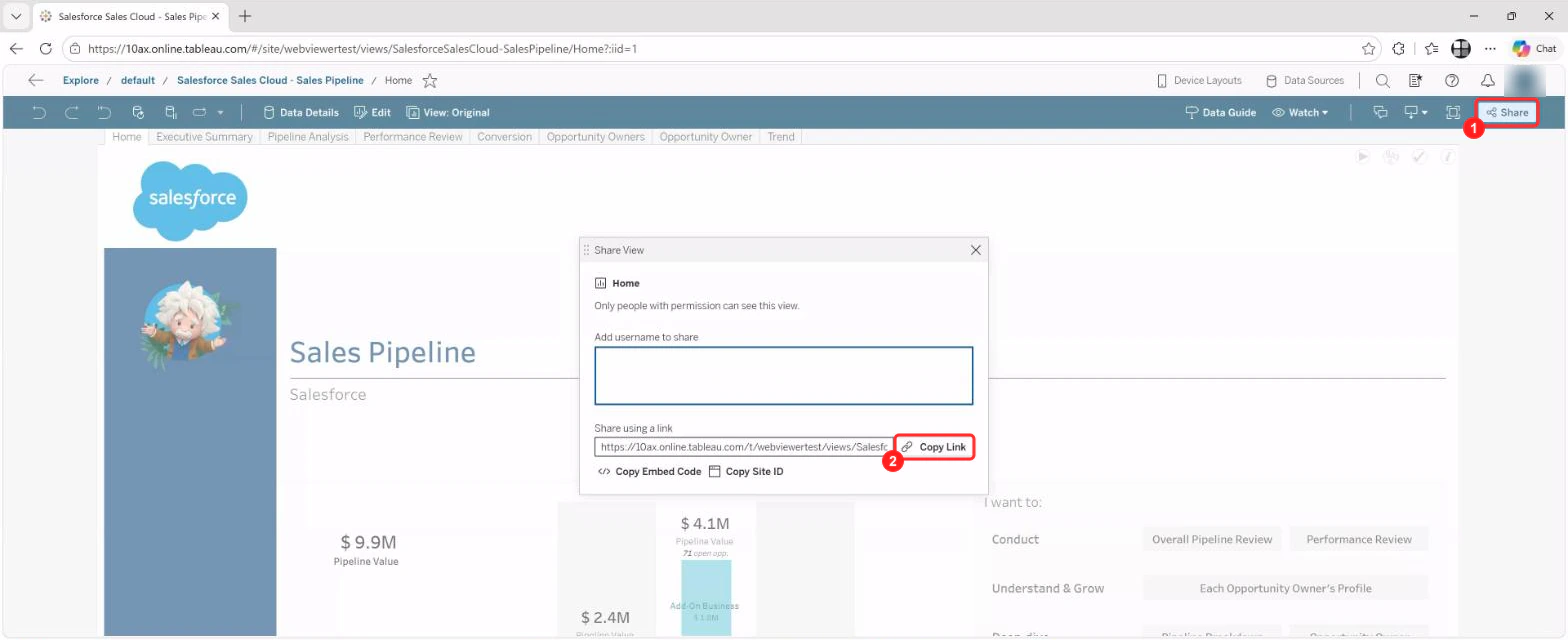
- Open the dashboard in Tableau, select Share (1), and select Copy Link (2).
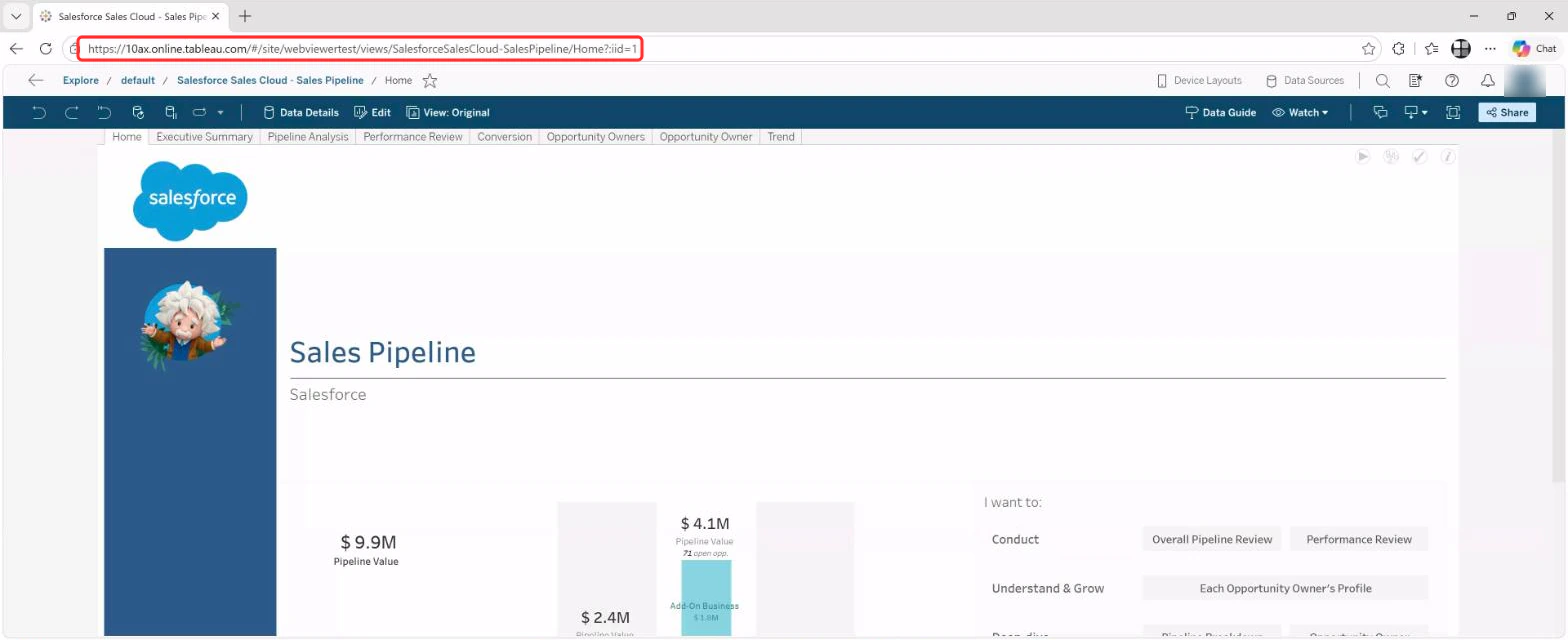
You can also copy the dashboard's URL directly from your browser's address bar.
Insert Web Viewer 2.0 on your slide
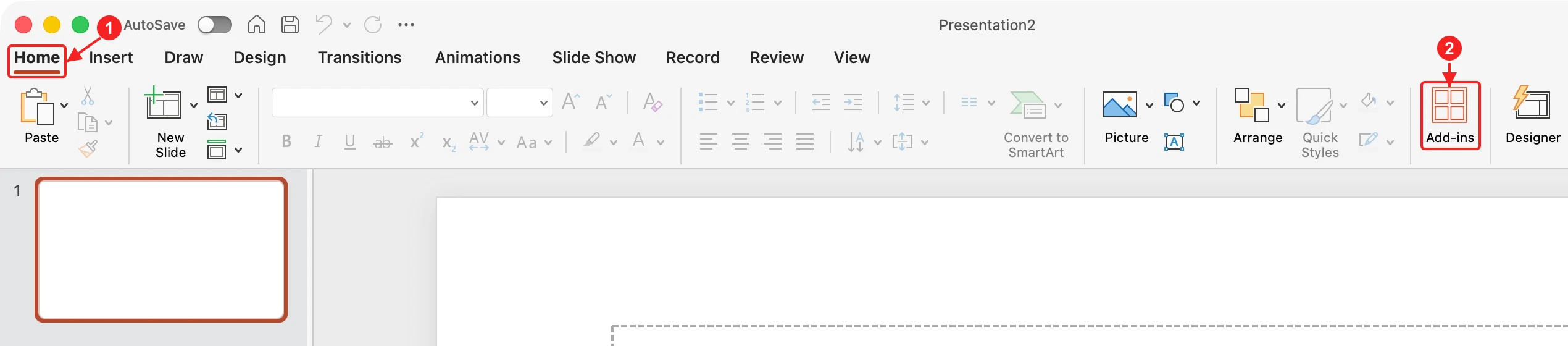
- Select the slide, then open Home > Add-ins.
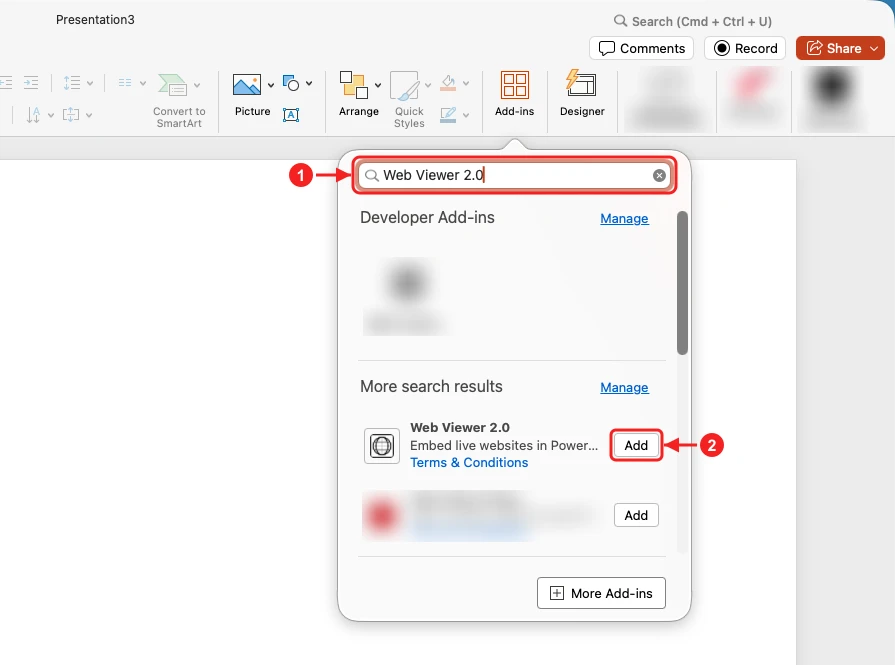
- Enter Web Viewer 2.0 in the search box (1). Under More search results, select Add beside the matching result (2).
Complete any installation prompts. For other Office versions or organization-managed installation, see the full installation guide.
Load the embed link
- Select www (1), paste the dashboard's link into URL (2), and select Load (3).
- In the Load this dashboard's embed link card, select Load embed link.
- If Tableau prompts you to sign in, follow how to sign in to Tableau in PowerPoint.
Open a dashboard instead of a workbook
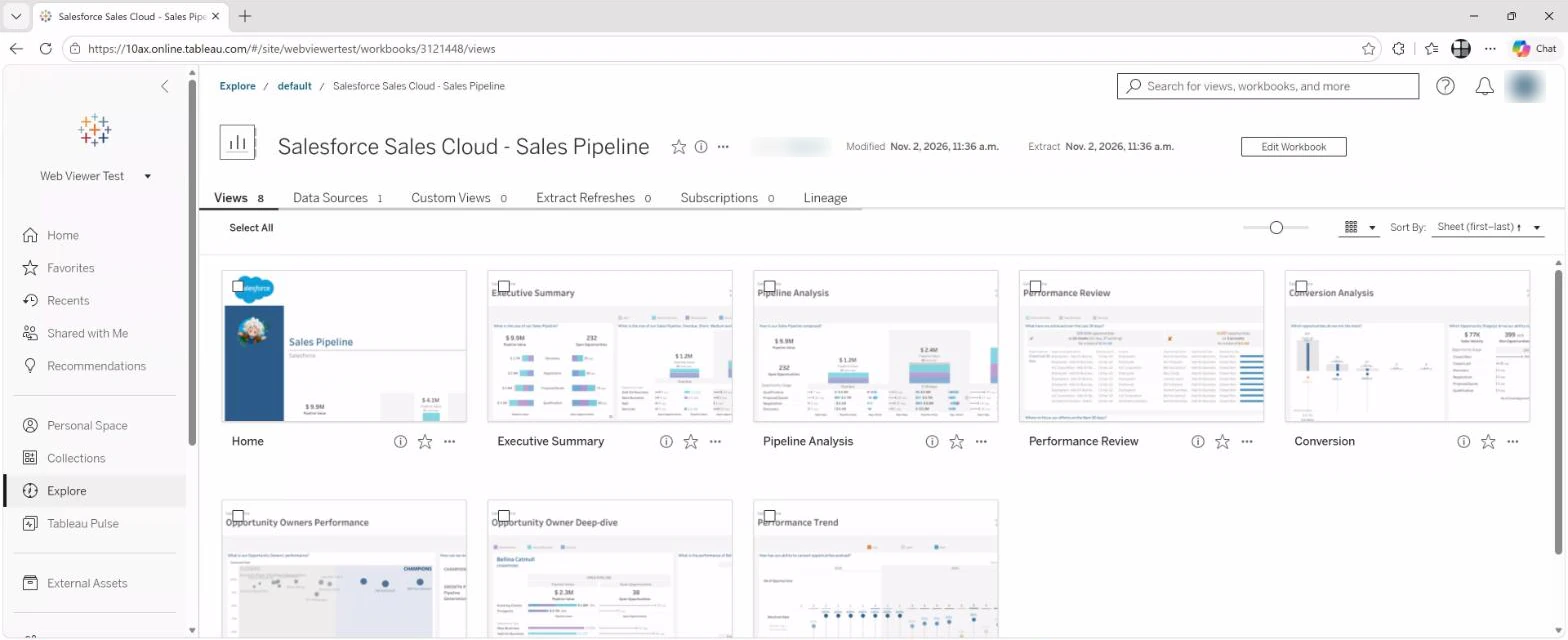
Links to workbooks, projects, or Tableau's home page cannot be embedded directly. When you load one, Web Viewer 2.0 shows the Open a dashboard in Tableau card.

In Tableau, open the workbook, select the dashboard you want to embed under Views, and copy that dashboard's link.
Build the embed link manually for other apps
To embed the dashboard in another app without
Web Viewer 2.0, append
:embed=y to the URL from Copy Link:
- If the URL has no
?, append?:embed=y. -
If the URL already has a
?(such as a filtered view), append&:embed=y.
For example:
https://10ax.online.tableau.com/t/yoursite/views/Superstore/Overview?:embed=yOn Tableau Server, an admin can also allow dashboards to embed from their regular browser link.
For help with Web Viewer 2.0, contact support.