
This guide explains how to check which version of an add-in is currently running in your SharePoint tenant.
Required permission: You must be a SharePoint Administrator or higher in Microsoft 365.
How to check the version
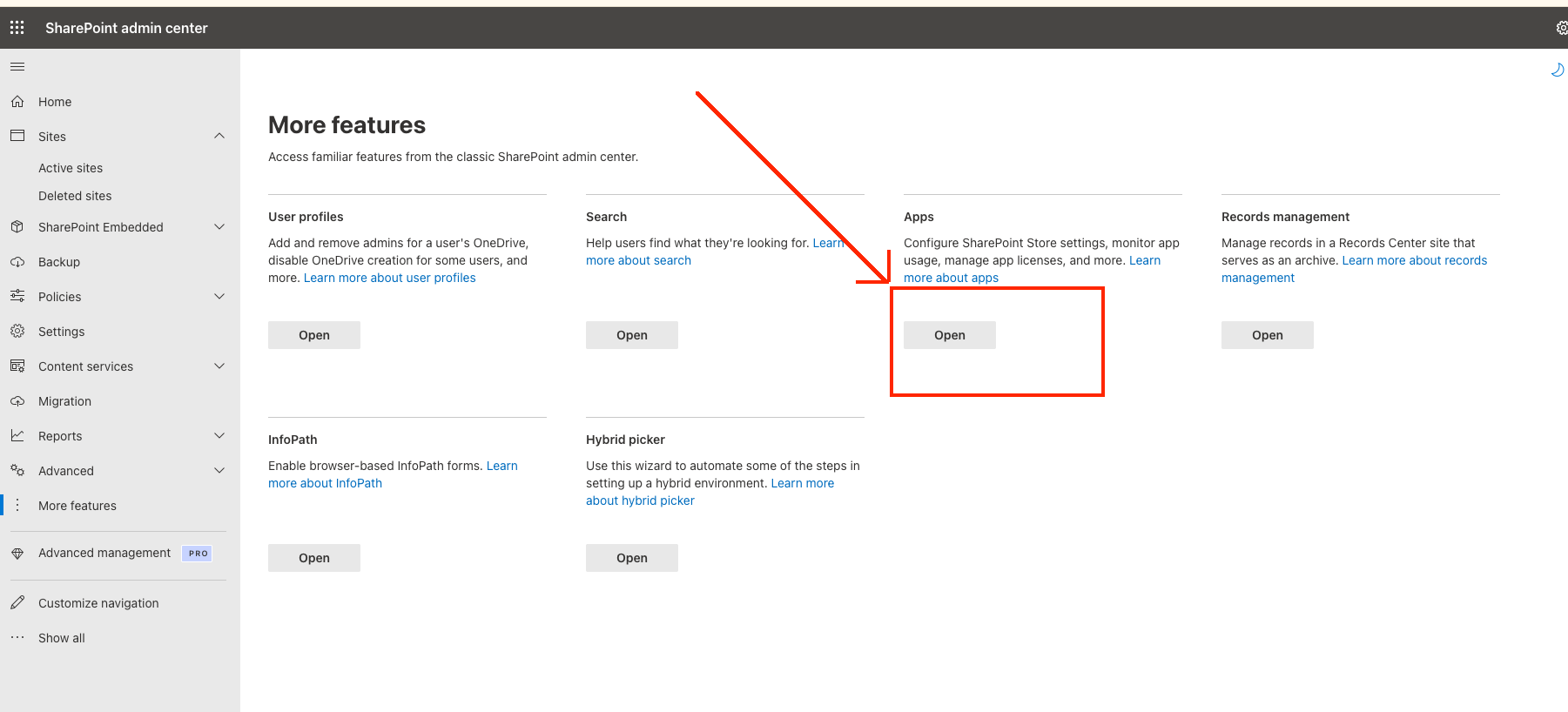
- Open the SharePoint admin center.
- Go to More features, then under Apps click Open.
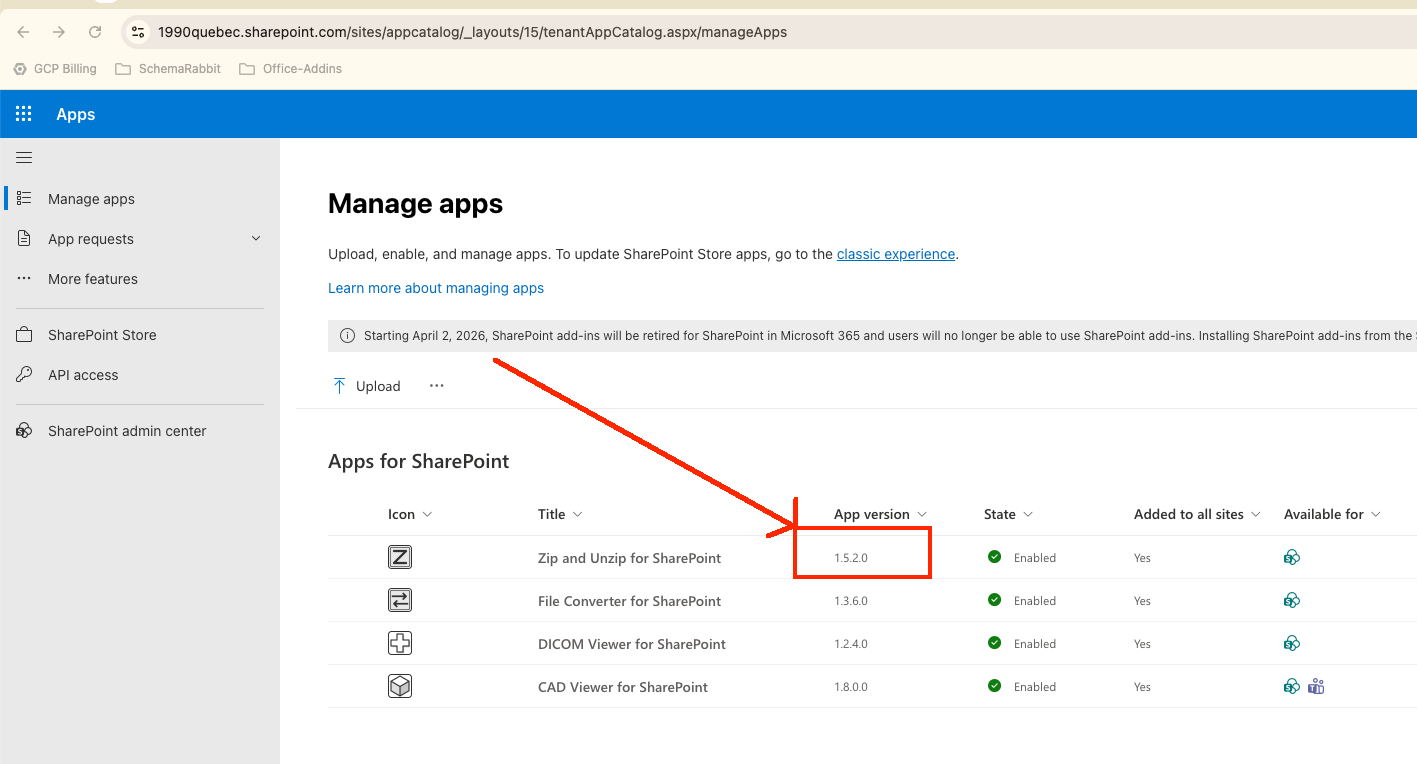
- In the Manage Apps screen, view the version of your addin.
Need help?
If you run into any issues checking the app version, contact us through our help page and we'll be in touch.